Clickash touchscreen, payments
and cloud for vending machines
Upgrade a spiral vending machine without touching its mechanics. Customers choose a product on the screen and pay by card, phone or coins, while you manage prices, stock and your whole fleet in a browser.
The machine and the cloud exchange data continuously. You change your offer without visiting the machine.
Clickash is machine software plus a cloud panel. The cloud sends prices, screens and settings to the machines; the machines send back sales, slot status and events. Your systems connect to the cloud via API.
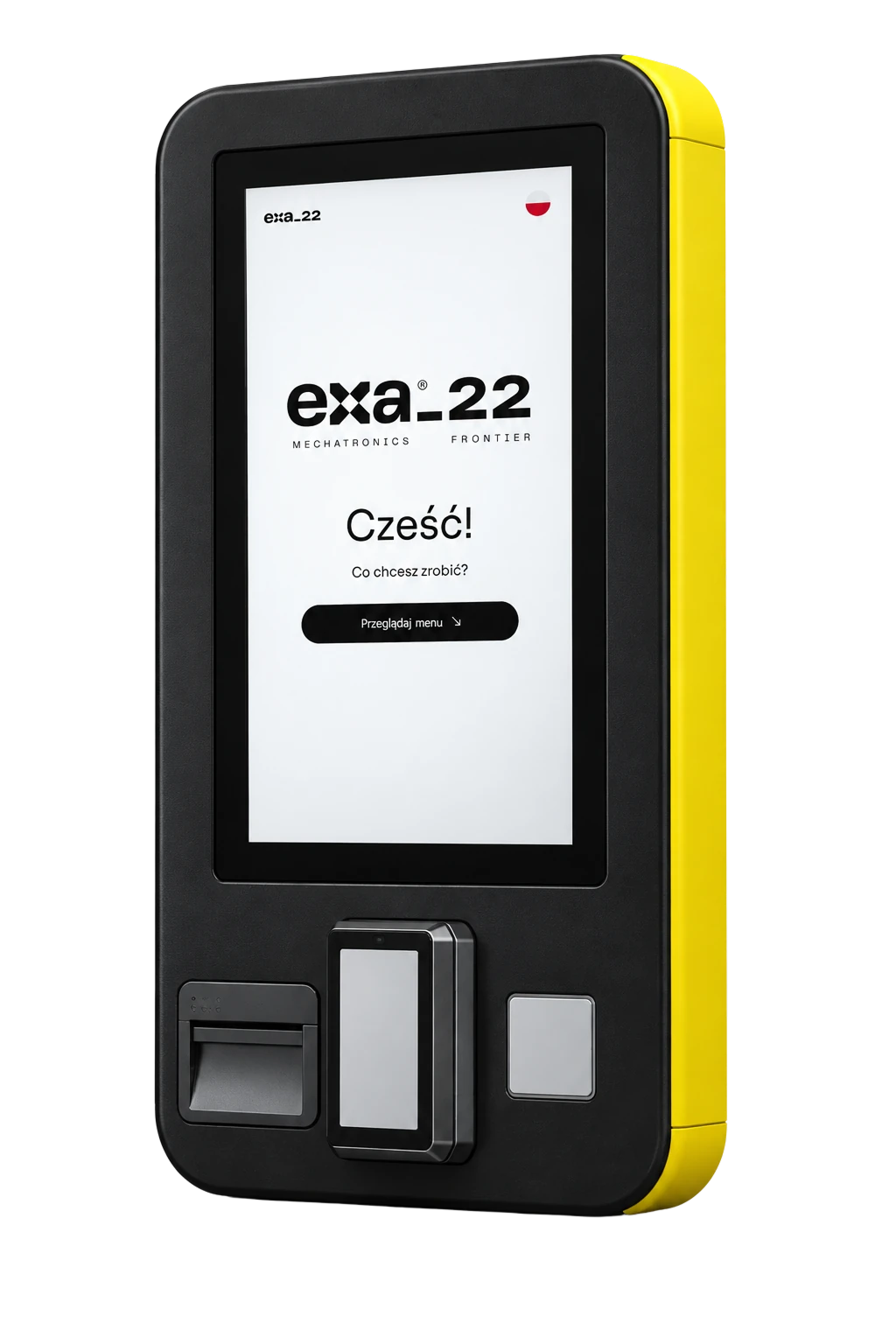
Vending machine with touchscreen
Machine computer with screen, terminal and readers.
- Machine screenpurchase, basket, payment, collection
- Service menurestocking, prices, diagnostics
- Paymentscard terminal, QR code, coins
- Machine mechanicsslots, lockers, lifts, cooling, lighting, sensors
Panel in the browser and on your phone
One place for your whole fleet and all organisations.
- Organisations, users, roles
- Machines and locations
- Products, price lists, promotions
- Stock and restocking
- Machine screens
- Sales, reports, cash
- Remote actions and parameters
- Reservations and collection
Your systems
We tailor the integration to the system you use.
- App or online shopreservations, collection at the machine
- ERP and accountingsales and settlements
- Payment operatorsterminals from several providers
- E-mail and SMSconfirmations and notifications
Customers choose, pay and collect on their own. They pay only for what they received.
Shopping like in an online shop
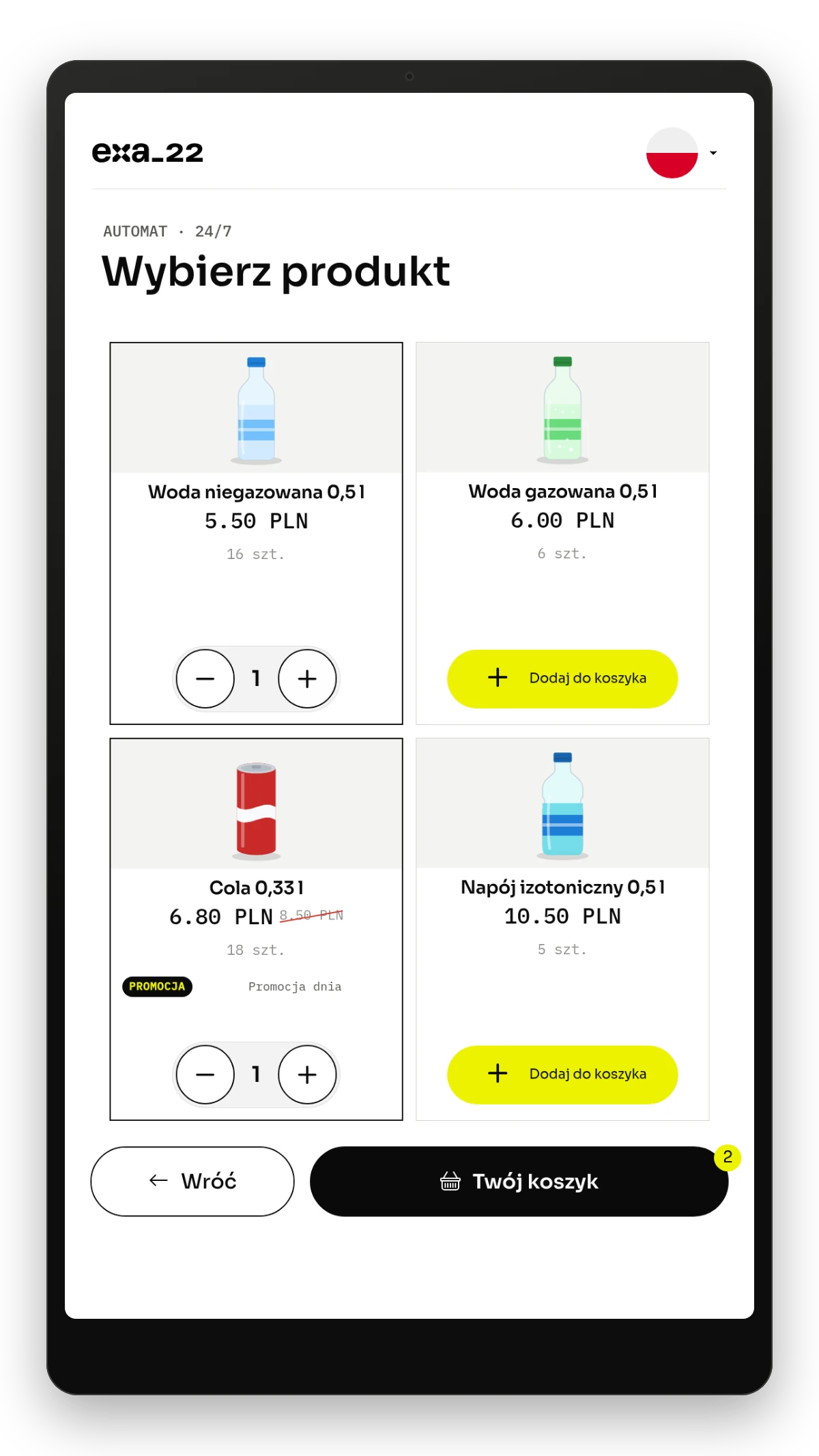
Product list with price, promotion and availability. The customer adds several products to the basket and pays once.
- Product detailsPhoto, description, ingredients, allergens and best-before date. VAT rate and amount shown next to the gross price.AVAILABLE
- Basket with limitsBasket total and discount. Quantity and amount limits the customer sees as soon as they add a product.AVAILABLE
- Recommended before paymentUp to three products matching the basket, added with a single tap.AVAILABLE
- Basket in line with the current priceThe machine warns about price or availability changes during shopping.IN PROGRESS
Card, phone or coins
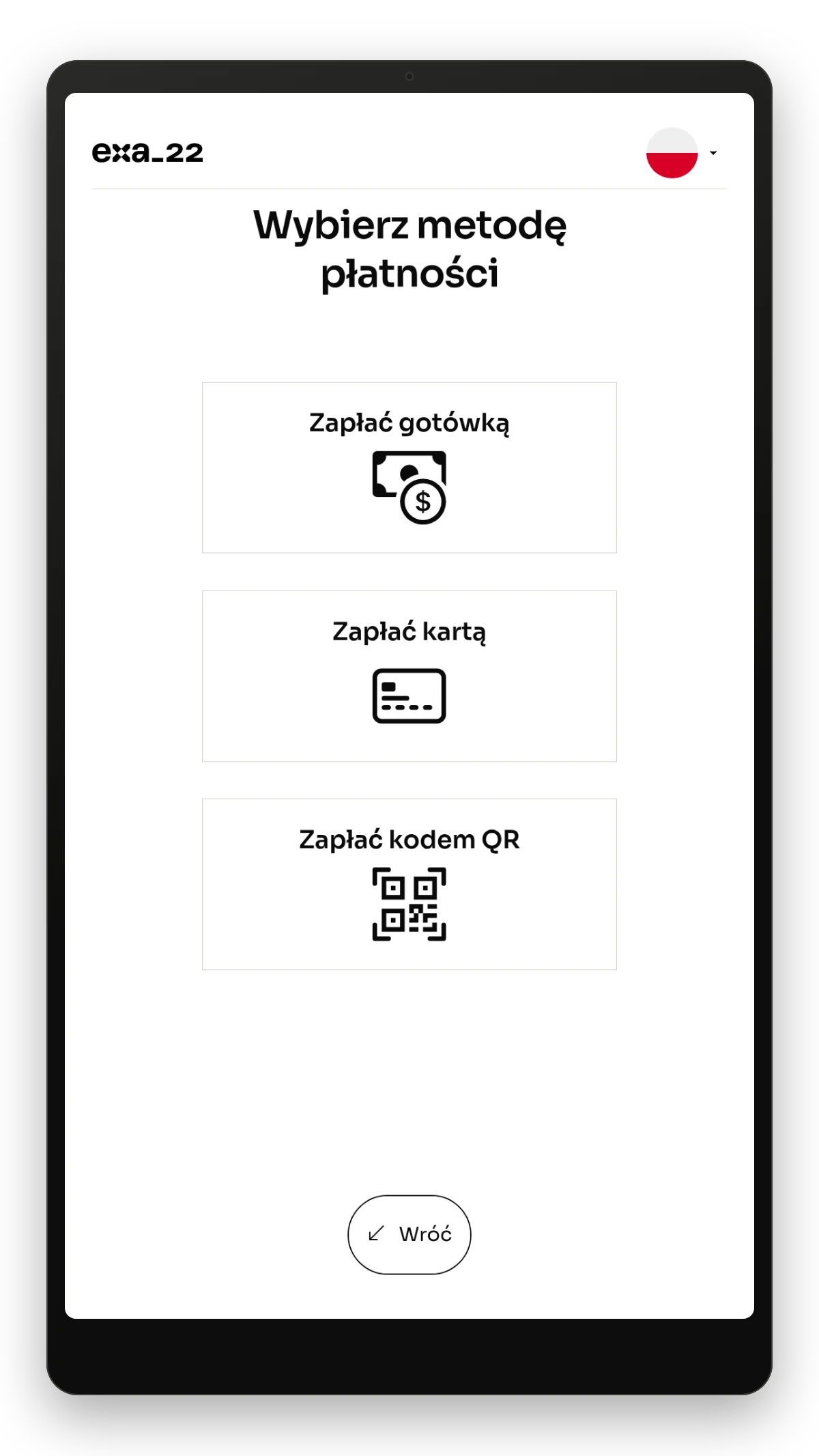
The customer chooses the method on the screen. With several products, they pay only for those the machine actually dispensed.
- Card on the terminalThe screen shows the terminal messages. Terminals from several payment providers.AVAILABLE
- QR codeThe customer scans the code on the screen and confirms the payment in their banking app. No terminal needed in the machine.AVAILABLE
- Coins with changeCustomers get their money back for products that were not dispensed.AVAILABLE
- Card refund after a failed vendThe machine refunds the payment to the customer’s card automatically.Q4 2026
- Fiscalisation in the machineFiscal printer as standard, regardless of payment provider.Q1 2027
Screens in your brand colours
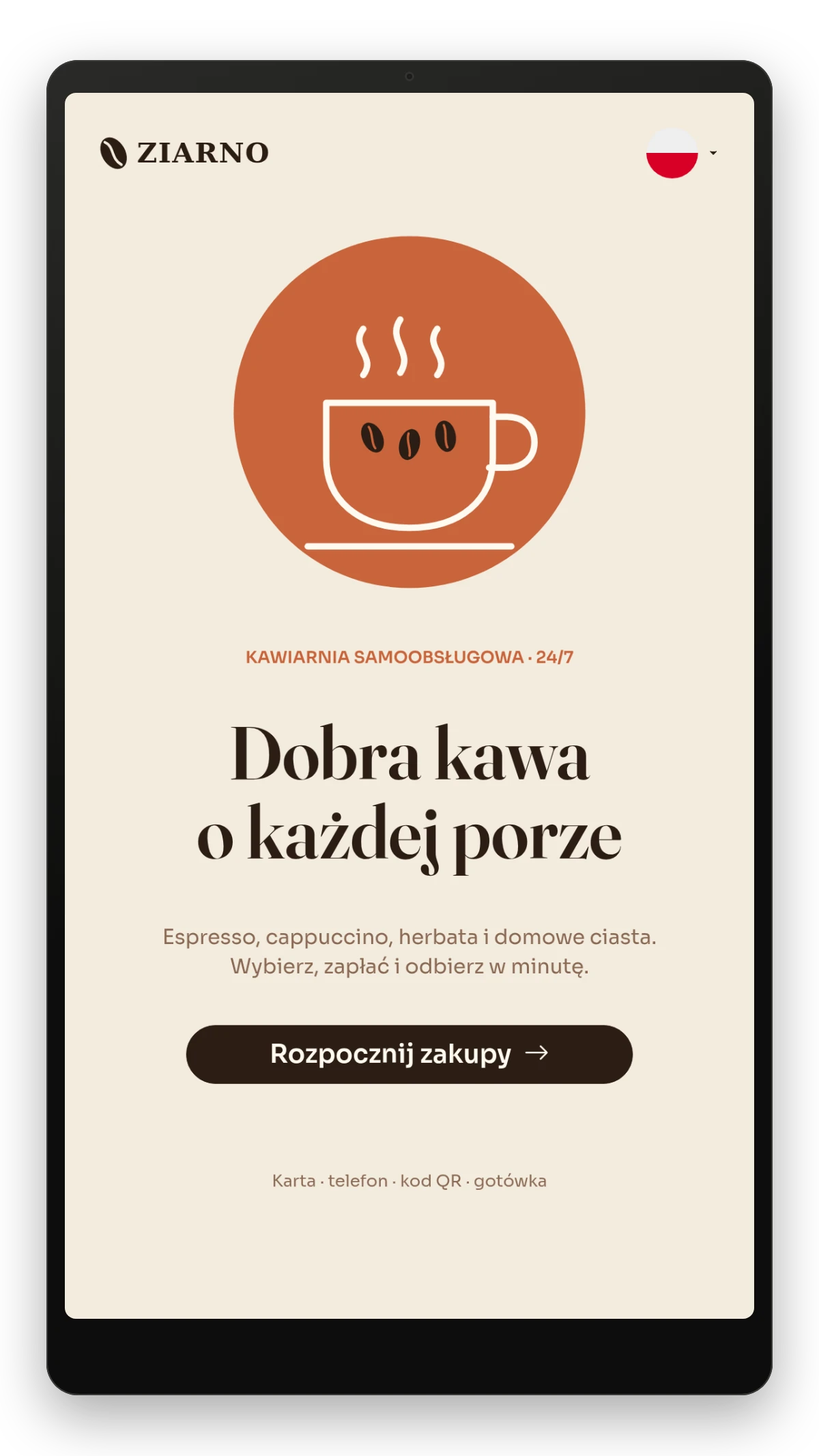
You design the machine screens yourself in the panel and change your offer without ordering changes from us.
- Content editorText, images and videos from the start screen to the screensaver. Live preview before publishing.AVAILABLE
- Screensaver with slideshowSeasonal offer on screen when nobody is buying.AVAILABLE
- Brand colours, buttons and fontsThe sales screen looks like your brand, not like a vending machine.AVAILABLE
- Screen templates and full brandingOne template for many machines; publish a new version to selected machines.Q4 2026
Order and reservation collection
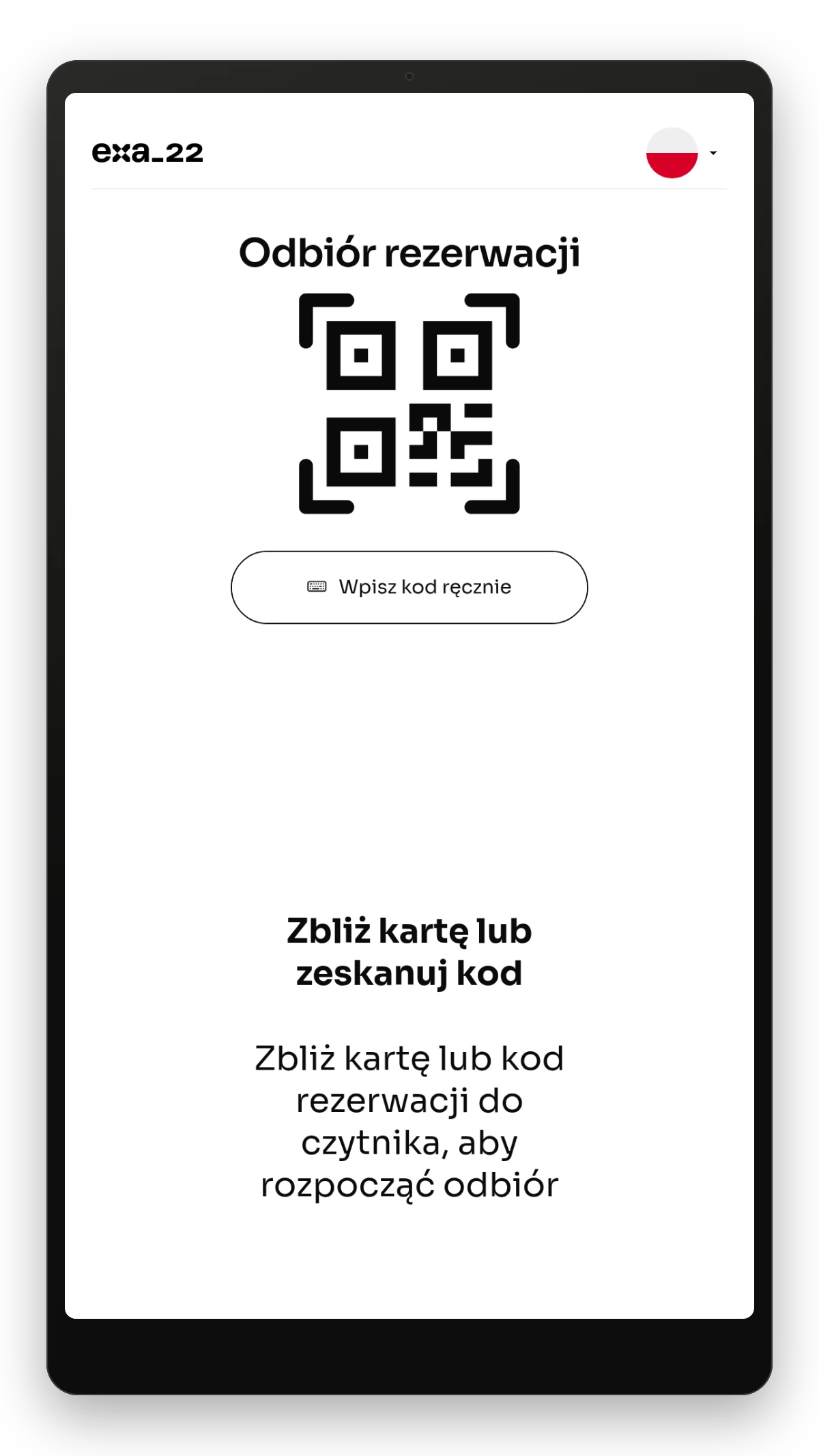
The machine also works as a collection point. The collection code is issued by the panel, a service technician or your system via API.
- Product and slot reservationsCollection code with an expiry date.AVAILABLE
- Collection at the machineBy card, QR code, barcode or manually entered code.AVAILABLE
- Purchase confirmation by e-mailThe customer enters their address after the purchase.AVAILABLE
- 6 screen languagesPolish, English, German, French, Hungarian, Dutch. Switch with a flag in the header.AVAILABLE
Your whole fleet in one browser. You react remotely before a technician sets off.
One product catalogue, price lists and promotions for all machines. The panel works on laptop and phone, in Polish and English.
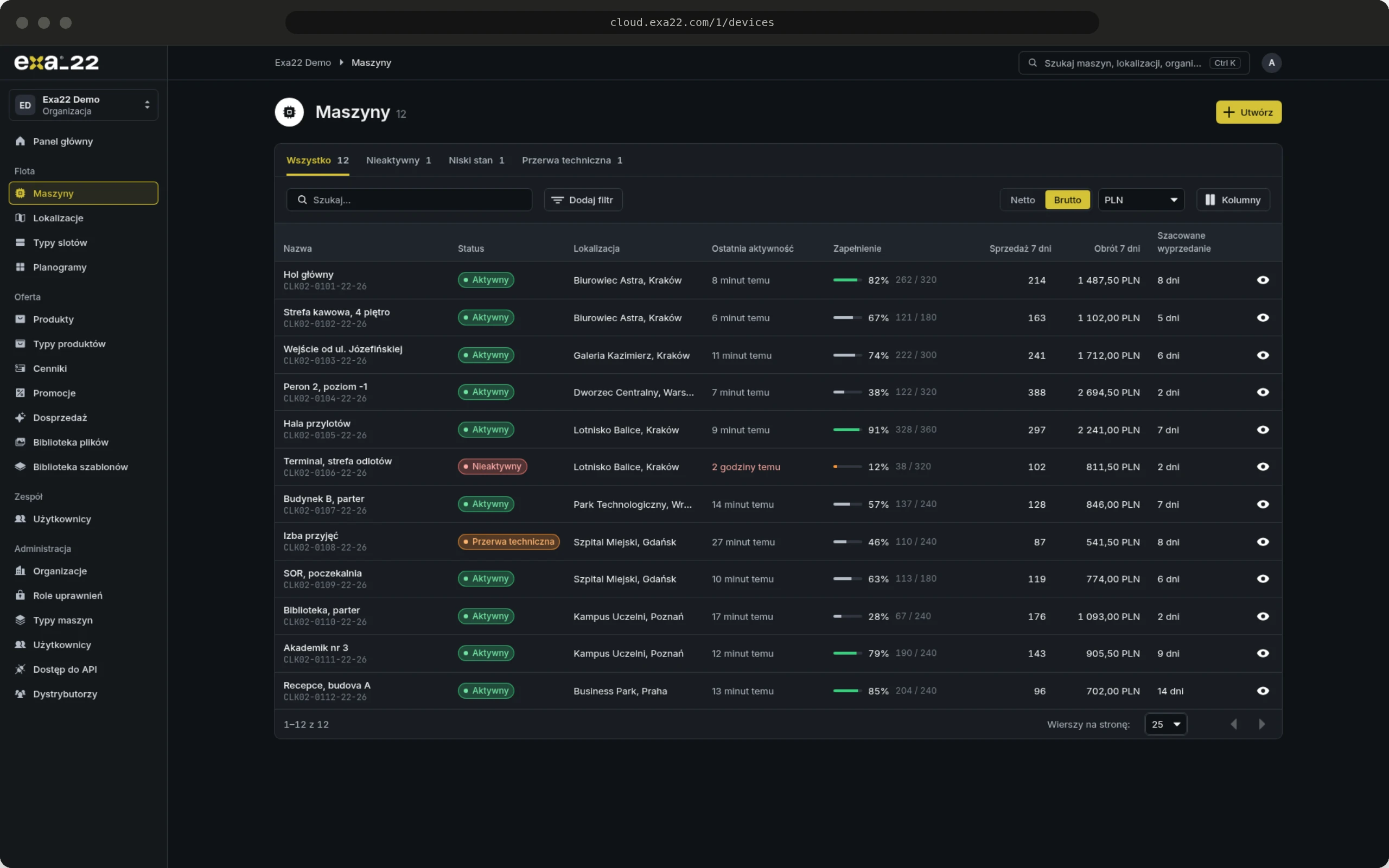
You see every machine and act without a site visit
Remotely open a slot or door, dispense a product, restart the machine and sync stock. Before each action the panel describes its effect and asks for confirmation.
You know what is missing before you set off
Status of every slot: empty, stocked, expired. Shortage report with the number of items to refill, export to PDF and XLS. The machine will not sell expired goods.
New price on the machine as soon as you save it
Price lists per location, VAT net and gross, currency per machine. Promotions on selected days and hours, markdowns before the best-before date, lowest price from the last 30 days.
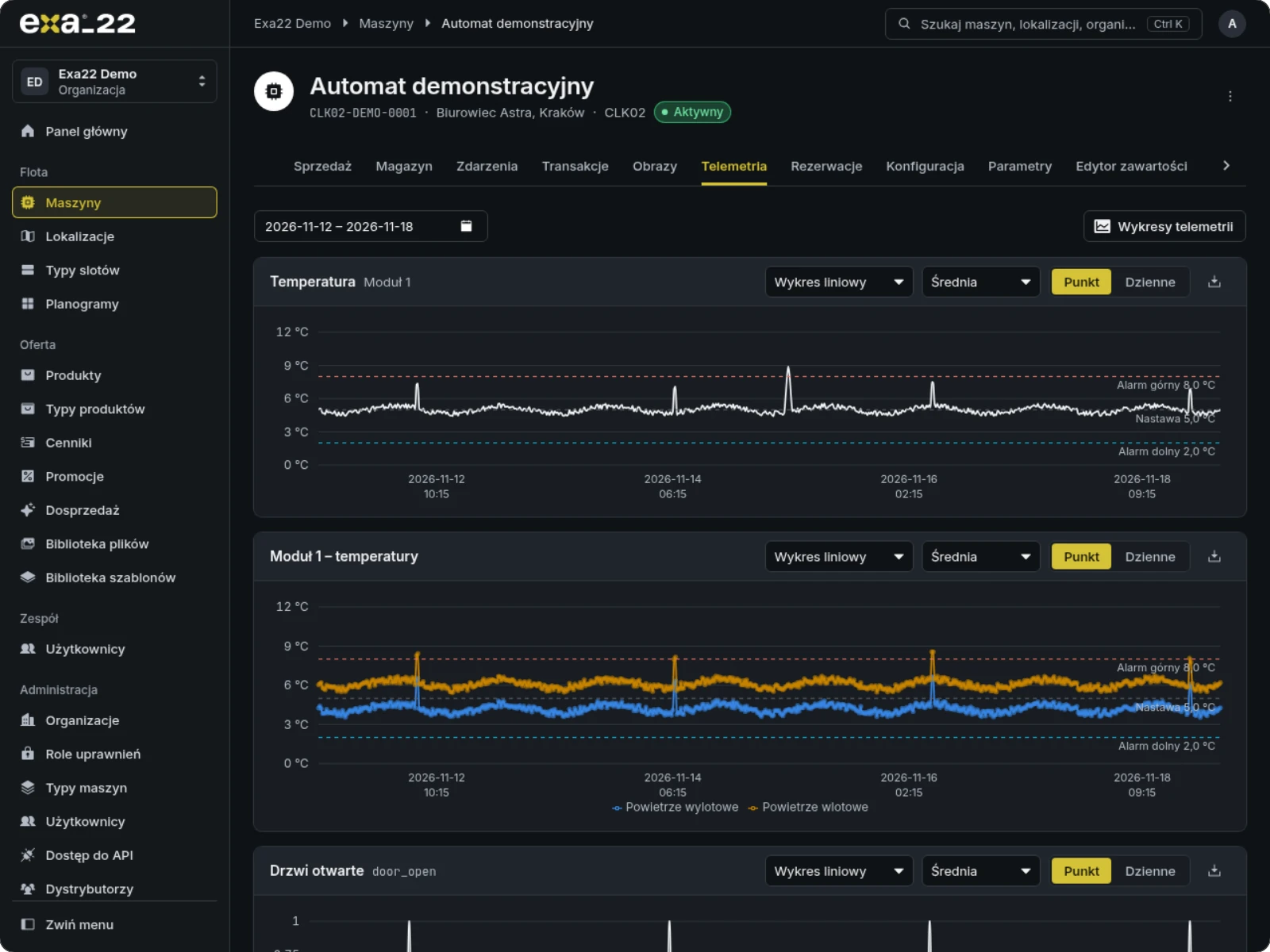
Telemetry
Sensor readings depending on machine type, with data export.
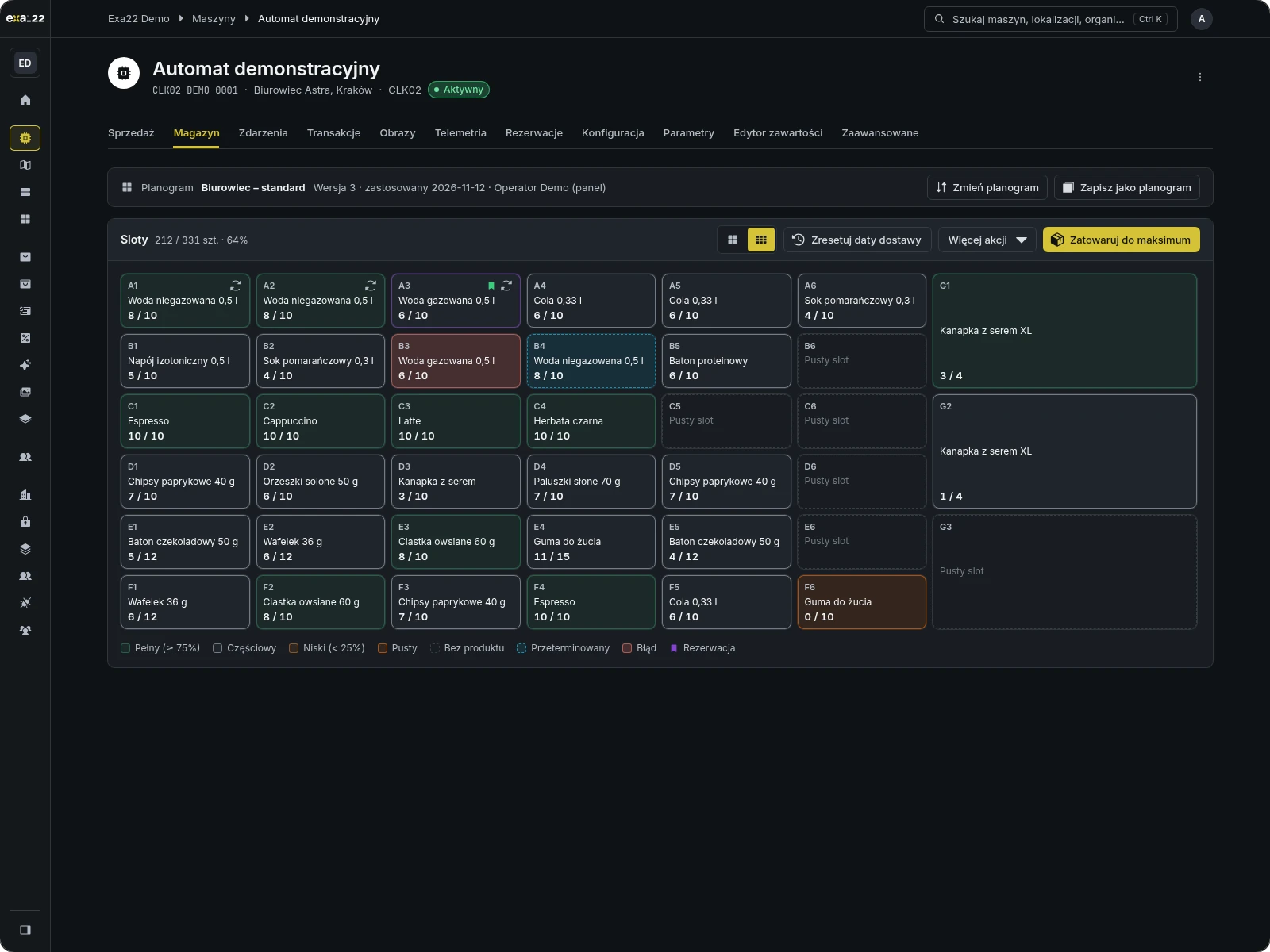
Slot layout
Also for machines with unusual layouts. Copy the layout from another machine.
“When there is coffee in the basket, recommend sweets”
Recommendation rules run on selected machines. The Results tab shows how many recommended products customers added and how much revenue they generated.
AVAILABLECash reconciliation without counting by hand
The panel calculates the difference between the cash collected from the machine and sales receipts, and prepares a document for signature. Sales reports in PDF and XLSX, machine and location comparison broken down by hour.
A distributor manages many organisations in one panel
Each organisation has its own users. The role defines which modules someone can view, create, edit and delete. One user can hold roles in several organisations.
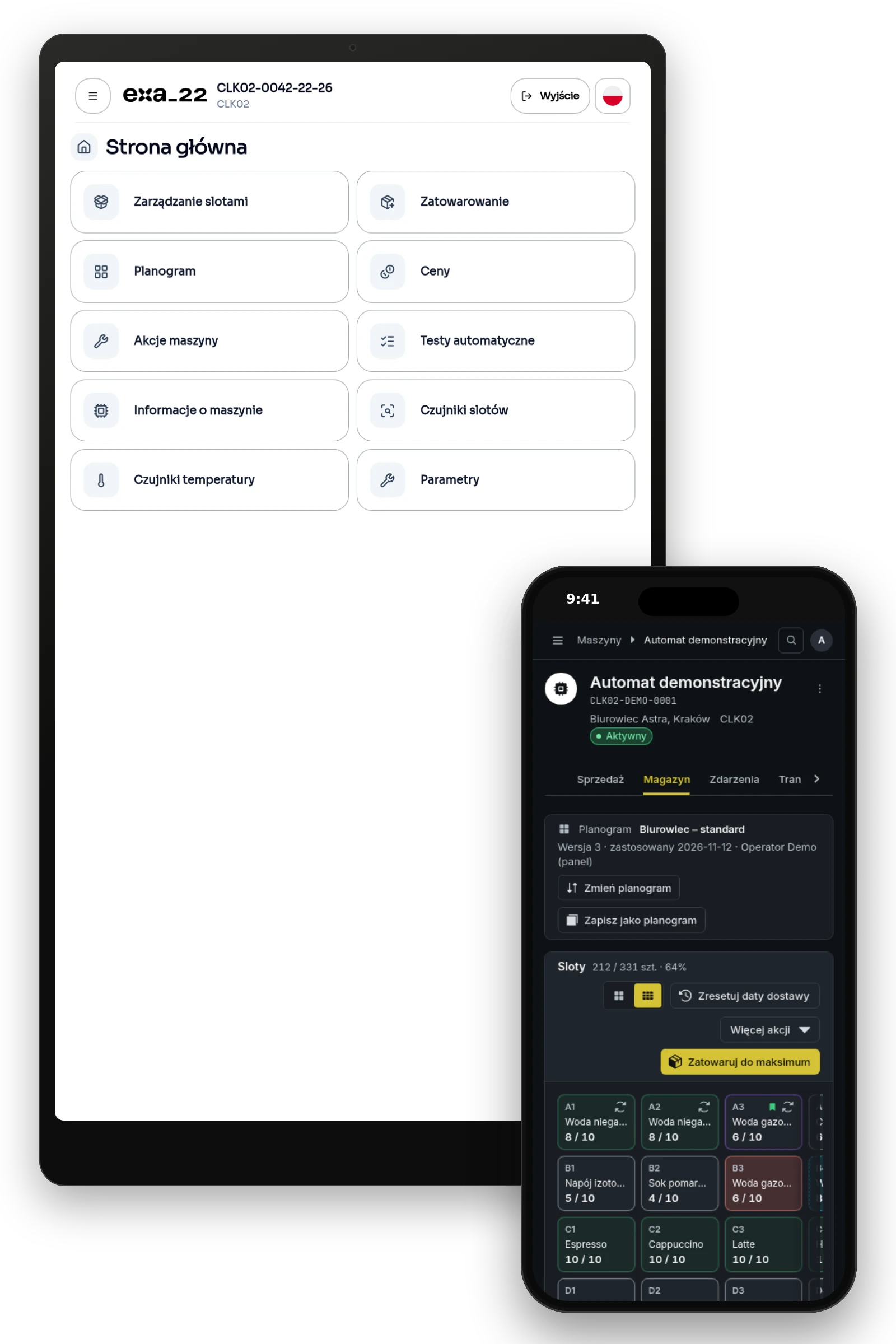
The technician works on the machine screen. The machine logs every action.
- Log-in by username, PIN, card or QR codeYou choose which methods are available on the machine. Any number of service accounts with a work history.AVAILABLEService menuCloud panel
- Slot managementChange product and quantity, restock to full, slot error. Across many slots at once, with a list of changes before saving.AVAILABLEService menu
- Diagnostics and automatic testsTests of connectivity, power and components; live slot, door and temperature status.AVAILABLEService menu
- Price change at the machineOnly if you allow it. The event log shows who changed the price and how.AVAILABLEService menuCloud panel
- Planograms and restocking wizardOne assortment change for all machines with the same layout. The technician sees “Remove” and “Insert” lists.Q4 2026Service menuPanel on the phone
- Offline service menuUnlock with a code generated in the panel.Q1 2027Service menu
The same machine sells, dispenses orders, serves employees and lends items.
You change the use case in the panel, not in the hardware.
24/7 sales
Upgraded spiral vending machine with basket, cashless payment and your own screens.AVAILABLE
Order collection point
Slot reservation with a collection code from your app or shop, via API. The technician loads goods for many orders at once.AVAILABLE
Industrial dispensing
Employees collect items by card, without payment, within a daily, weekly or monthly limit. Report: who took what.Q4 2026
Item lending
An employee borrows an item from a locker and returns it to the machine. The panel shows loans by machine and by person.Q4 2026Add AnyVend to a spiral vending machine. One screen will handle both.
One touchscreen handles several modules of different types. The customer sees availability in each module, the technician services them separately, and if one fails, the others keep selling.
AnyVend locker vending machine
Clickash talks to your systems. No re-keying data by hand.
API for customer systems
Read products, stock, machine status, reservations and price lists. Create reservations, change slot quantities, trigger a vend. Machine events in real time. Access limited to selected areas.
ERP and accounting
Sales and machine data flow into your ERP or accounting system. We tailor the integration to the system you use.
E-mail and SMS on events
Loss of connection, temperature out of range, service events. Each organisation sets up notifications in the panel.
97 features in 13 areas
We say plainly what works today and what is under construction. A full description of every feature, including where you use it, is in the PDF feature list.
| AREA | AVAILABLE | IN PROGRESS | PLANNED |
|---|---|---|---|
| 02Sales at the machine | 8 | 1 | 0 |
| 03Payments and refunds | 5 | 1 | 2 |
| 04Machine screens and brand look | 5 | 2 | 0 |
| 05Products, prices and promotions | 8 | 1 | 4 |
| 06Stock and restocking | 5 | 3 | 0 |
| 07Service operations at the machine | 7 | 3 | 0 |
| 08Machine fleet and remote control | 10 | 1 | 0 |
| 09Sales, reports and settlements | 5 | 0 | 3 |
| 10Organisations, users and access | 6 | 2 | 2 |
| 11New use cases | 2 | 3 | 0 |
| 12Integrations and notifications | 2 | 1 | 0 |
| 13Machine equipment | 4 | 0 | 1 |
| Total | 67 | 18 | 12 |
Equipment: cooling zones, locker lighting, weight sensors, card and code readers. Features depend on the equipment of the given machine.
From machine model to the first card sale in four steps.
We check your machines
You give us the manufacturer, model and number of machines. An engineer confirms compatibility and equipment.
1 working dayPanel demo
We show you the panel on demo data and agree the scope: payments, screens, integrations.
30 min onlineModule installation
We install the module with screen and terminal in the machine panel, without touching the mechanics.
[installation time per machine to be confirmed]Configuration and training
We set up the organisation, products, price lists and screens, and train your team on the panel and the service menu.
[training scope to be confirmed]A failure doesn’t wait for a ticket. Neither do we.
exaPulse detects faults automatically, and repairs are handled by one of our own service teams.
of critical failures resolved in under 24 h
[Source and measurement period, e.g. tickets from 2025]
Automated fault detection
From the moment a fault occurs to an alert in the system. [What exaPulse monitors: e.g. temperature, locker locks, terminal]
in-house service teams
[Coverage: regions or countries] · [Availability: team working days and hours]
Clickash: questions from vending operators
Will Clickash fit my machine?
Clickash works with spiral vending machines from FAS, SandenVendo, Jofemajer, Azkoyen and Eba, among others [full list of models to be confirmed]. Enter the manufacturer and model in the compatibility form, and an engineer will confirm compatibility and the equipment the system will use.
Does installation require changes to the machine mechanics?
No. We install the module with screen and terminal in the machine panel without touching the mechanics. [Installation time and requirements: power, connectivity, to be confirmed]
Which payments does the machine accept?
Card on a payment terminal (terminals from several providers), QR code confirmed in the banking app, and coins with change. The customer pays only for products the machine dispensed. Automatic card refund after a failed vend arrives in Q4 2026.
What happens when the machine loses internet?
When the connection returns, the machine sends the events recorded offline to the cloud. Full offline sales and unlocking the service menu with a code from the panel arrive in Q1 2027.
How much does Clickash cost?
[Pricing model to be confirmed: module per machine + panel subscription.] From Q1 2027, subscription plans are billed by number of machines. Existing customers keep their current terms.
Can I connect my own shop, app or ERP?
Yes. Via the API you read products, stock, machine status and price lists, create reservations and trigger vends. We pass sales data to your ERP or accounting system and tailor the integration to the system you use.
I run machines for several clients. Will I get one panel?
Yes. The distributor panel lets you set up your own organisations and user accounts, and the dashboard shows their summary. Each organisation has its own users and roles.
Which languages does the system support?
Machine screen and service menu: Polish, English, German, French, Hungarian and Dutch. The customer switches language with a flag in the header. The panel works in Polish and English.
Does the machine fiscalise sales?
A fiscal printer in the machine as standard, regardless of payment provider, is planned for Q1 2027. [How fiscalisation works today: to be confirmed]
Let’s upgrade your vending machines.
We reply within 1 working day. No automated e-mail sequences.